

For many IT managers, VMware renewals have become a reason to reassess the virtualisation roadmap. With VMware licensing and pricing changes now part of the discussion, more organisations are looking at whether Microsoft Hyper-V is a practical alternative for their environment.
The good news is that moving from VMware to Hyper-V does not need to be a high-risk, big-bang project. When planned properly, it can be completed in a controlled, repeatable way — one virtual machine at a time, with clear validation and rollback options at every step.
Hyper-V is a strong option for organisations already invested in Microsoft technologies. It is built into Windows Server, works well with Active Directory environments, supports mainstream Windows and Linux workloads, and includes clustering and live migration capabilities without requiring a separate hypervisor licence.
For many mid-market businesses, that makes Hyper-V a practical and cost-effective platform for production workloads. However, it is important to check whether the organisation relies on VMware-specific features such as NSX, vSAN, DRS affinity, or third-party appliances that are only available as VMware images.
Before committing to a migration, IT teams should review workloads, licensing, backup compatibility, storage, networking, and application dependencies.
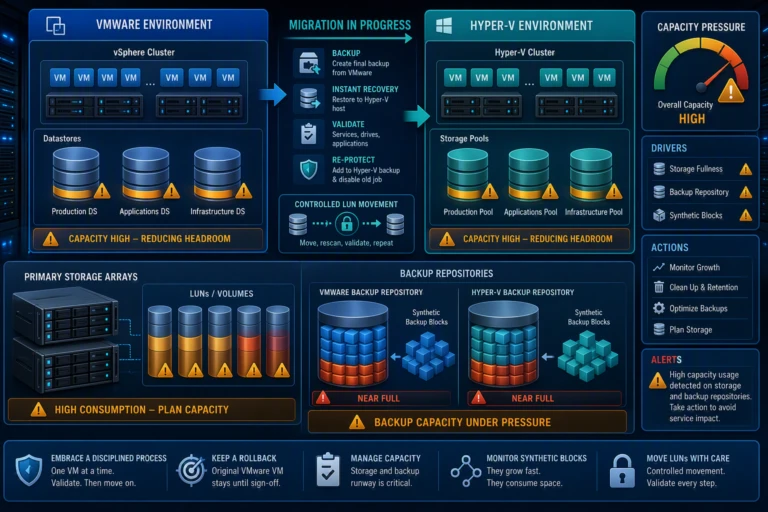
The most reliable approach is not a risky live conversion. It is a backup-and-restore process using a trusted backup platform such as Veeam Instant Recovery.
The logic is simple: if the organisation already trusts its backup platform to restore virtual machines, that same process can be used to restore VMware workloads onto Hyper-V hosts.
This approach has three important advantages:
In simple terms, the migration becomes a controlled restore, validate, and protect process rather than a complex one-off conversion.
A practical migration should be completed one VM at a time. This keeps the process manageable and makes each step easier to validate.
A typical process looks like this:
The key is to validate the application, not just whether the server boots or responds to ping.
A VMware-to-Hyper-V migration should be treated as a structured project, not a rushed technical task. The guide recommends a phased approach covering discovery, project management, setup, implementation, QA, documentation, and handover.
A simple project structure includes:
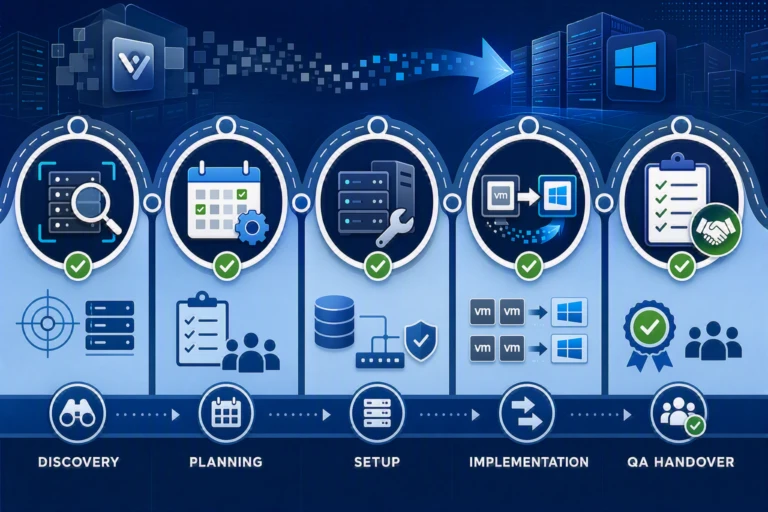
The test migration is especially important because it exposes issues with drivers, licensing, and storage before production workloads are affected.

The actual conversion of an individual VM may only take minutes to hours, but the surrounding work — storage, networking, validation, backup, DR, and documentation — is where most of the effort sits.
This is why stakeholders should budget for the full project, not just the cutover windows.
If there is one principle to follow, it is this: keep every move small, controlled, and reversible.
The key best practices are:
CEO/Founder
Founder and Principal of alltasksIT with 30+ years IT experience, John has a broad and varied experience across cloud computing strategies.
John has been successfully realising IT and networking solutions for small to medium businesses for over 25 years.