
By alltasksIT | Managed Microsoft 365 & AI adoption for Australian SMBs

For SMBs, Microsoft 365 Copilot is most valuable when it is built into the work people already do every day: emails, meetings, documents, reports, proposals, onboarding, finance reviews, customer follow-up and internal knowledge sharing. It is not just another chatbot; it works across Word, Excel, PowerPoint, Outlook, Teams, SharePoint and Microsoft 365 Chat to reduce manual effort in familiar tools.
The practical adoption pattern for an SMB is simple:
The evidence points in the same direction. Forrester’s SMB Total Economic Impact study, commissioned by Microsoft, modelled a 200-person SMB and projected 132%–353% ROI over three years, with gains across go-to-market, operations and people/culture. Microsoft customer stories also show value appearing in practical workflows such as content creation, customer feedback analysis, campaign briefs, sales decks, legal contract review and seller research.
This guide is organised around real SMB adoption decisions: where to find quick wins, which business functions offer the best workflow opportunities, how Copilot can connect handovers between teams, when agents make sense, and what governance needs to be cleaned up before scaling.
Use it as a starting menu rather than a complete rollout plan. Pick one painful, repeatable workflow, prove the value, train the right people, then expand safely across the business.
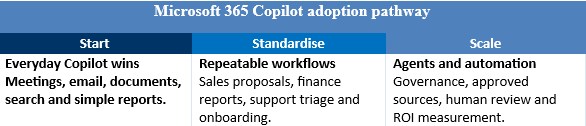
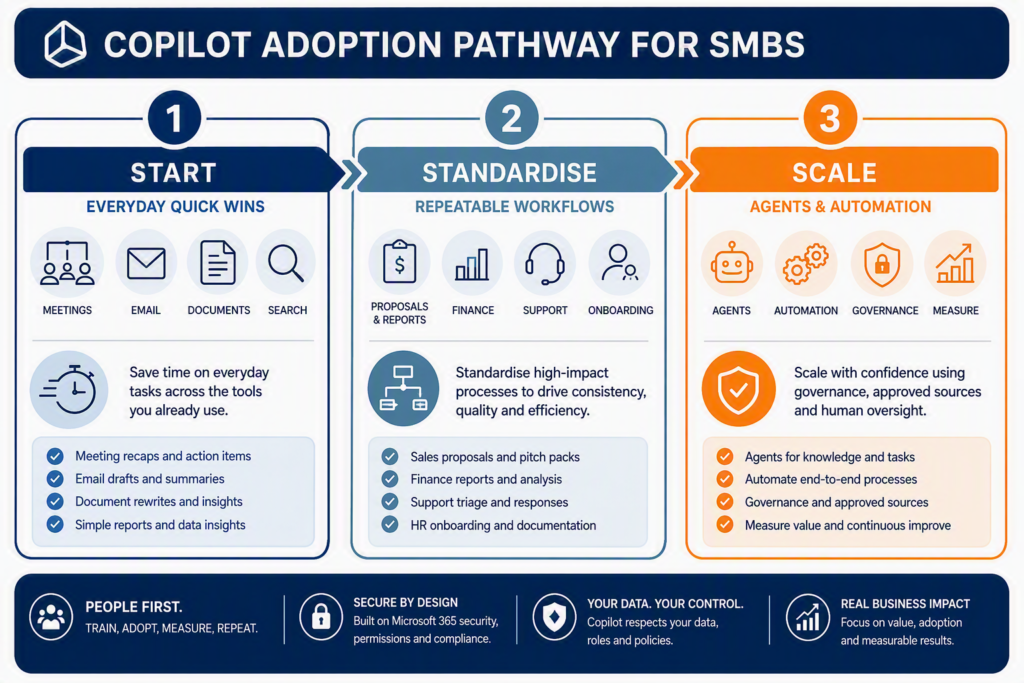
A simple way to think about Copilot adoption is: quick wins first, repeatable workflows second, agents and automation third. Start with everyday productivity in Outlook, Teams, Word, Excel and PowerPoint. Then move into department processes such as sales proposals, finance reporting, onboarding and support triage. Only scale into agents once permissions, data governance, ownership and measurement are in place.
Microsoft’s Work Trend Index found that 75% of knowledge workers were already using AI at work, 90% said it saved them time, and 78% were bringing their own AI tools to work — a figure that jumps to 80% in SMBs.
Your staff are already using AI. The real question is whether that use is governed inside your Microsoft 365 tenant, or happening in unapproved consumer tools where client data may be exposed.
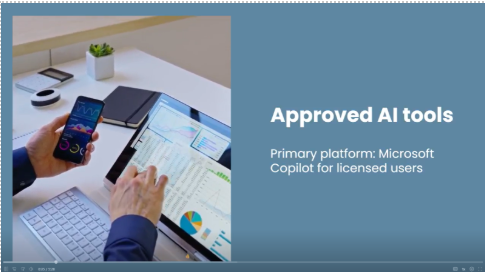
That is why alltasksIT’s internal AI Policy names Microsoft Copilot for Microsoft 365 as our approved enterprise AI platform. It can be used to summarise documents and meetings, draft emails and internal content, and analyse internal data within existing permissions. Anything shared externally still needs human review first.
The proof is not just theoretical. Published Microsoft customer stories give SMBs useful reference points, although the results should be treated as examples rather than guaranteed outcomes:
For SMBs, the lesson is not to copy these organisations at the same scale. The practical takeaway is to start with one high-friction workflow, prove a measurable saving, and then decide whether the next use case is worth expanding.
The common thread is simple: each organisation picked a painful, repeatable workflow, used Copilot to reduce the manual effort, measured the result, and then expanded from there. For an SMB, that might mean starting with one high-friction process such as proposal writing, customer feedback analysis, management reporting or contract review before moving into broader automation.
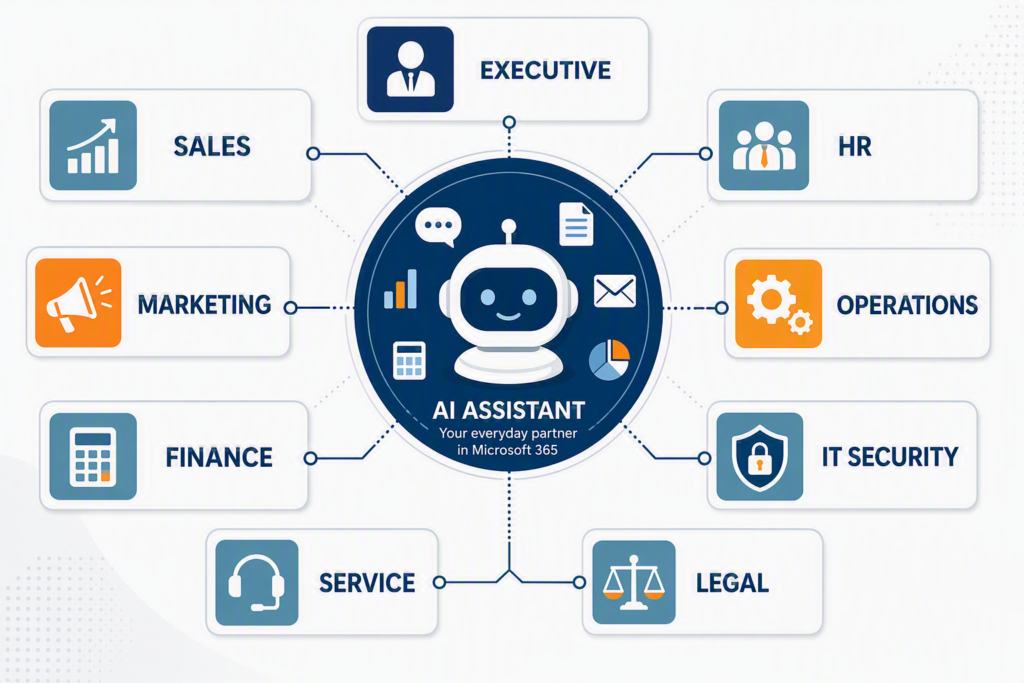
Think of the list below as a practical menu by department. If you are an owner wearing multiple hats, pick one useful workflow from each area and start there.
The next section is designed to help owners and managers spot where Copilot can remove friction in everyday work. You do not need to start everywhere at once: choose the team with the clearest pain point, define the workflow, agree how success will be measured, and build confidence before expanding.
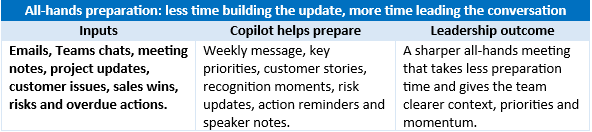
All-hands meeting preparation: use Copilot to update your all-hands template with wins, priorities, risks, customer stories and key messages for the week.
Bid and tender response assistant
Tip: set up and use your Copilot Brand Kits. Copilot is improving at PowerPoint creation when brand assets and approved presentation styles are available.
|
One Webinar Becomes Many Assets |
||
|
Source |
Copilot helps create |
Business value |
|
Webinar or Teams meeting Transcript, recording, chat, questions and presentation notes. |
Webinar summary, blog article, newsletter story, LinkedIn posts, customer email, sales talking points and FAQ. |
Turns one event into a complete content pack, giving marketing, sales and customer success more value from the same source material. |
|
Customer Service and Support: From Issue to Improvement |
||
|
Workflow |
Copilot helps with |
Outcome |
|
Complaint response |
Summarise the customer history, previous emails, tickets and meeting notes, then draft a clear response and resolution plan. |
Faster, more consistent customer communication. |
|
Case triage |
Classify urgency, identify the likely topic, extract key details and suggest the right queue or owner. |
Less manual sorting and quicker routing. |
|
Knowledge-base assistance |
Pull approved SOPs, manuals, prior fixes and SharePoint knowledge so agents can answer faster. |
More accurate answers and less reliance on tribal knowledge. |
|
Feedback themes |
Summarise recurring complaints, ticket trends, survey comments and service issues. |
Issues are spotted before they become churn risks. |
|
Self-service FAQ agent |
Start with an internal FAQ over approved service documents, then expand externally once governance is mature. |
Customers and staff get quicker answers to common questions. |
|
QBR preparation |
Summarise tickets, service trends, risks, wins, open actions and improvement opportunities for the account review. |
More useful customer reviews with less preparation time. |
A Financial Controller’s week could look very different with Copilot embedded into everyday finance work. Monday starts with Copilot summarising the previous week’s cash movement, overdue debtors, supplier payments, upcoming payroll commitments and any budget exceptions that need attention. By Tuesday, it has helped review the month-to-date results in Excel, flagging unusual spend, margin movement, duplicate invoice risks and variances that need explanation. Wednesday is focused on business partnering: Copilot turns the numbers into plain-English talking points for department managers, drafts follow-up questions, and helps prepare scenarios such as the cash impact of new hires, delayed customer payments or supplier price increases. On Thursday, the Financial Controller uses Copilot to prepare the leadership finance brief, converting spreadsheets into a decision-focused narrative covering performance, risks, assumptions and actions. By Friday, Copilot has helped update the board pack, draft debtor follow-up emails, summarise open finance actions from Teams meetings, and create a short “next week” checklist. The Financial Controller still owns the judgement, controls and final review, but less time is spent pulling information together and more time is spent advising the business.

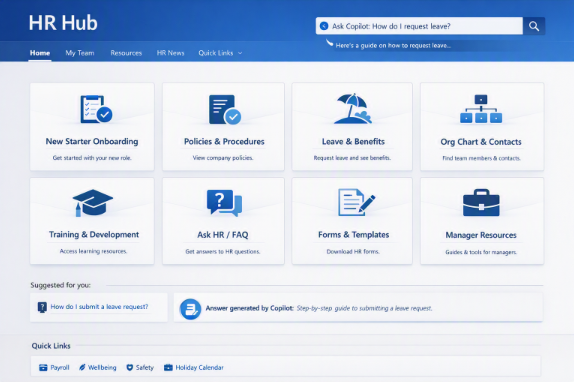
And produce:
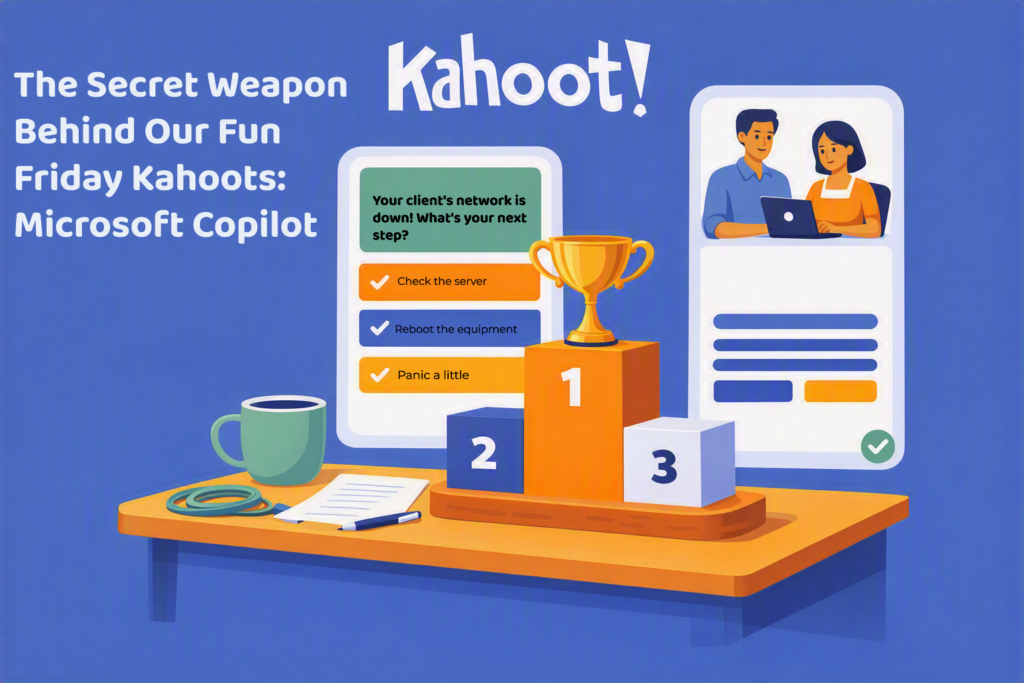
At alltasksIT, our Fun Friday Kahoots have become more than just a quiz. They are a chance for the team to laugh, learn something new, share a few inside jokes, and strengthen the connections that make a great workplace culture. As anyone who has ever hosted a Kahoot knows, however, coming up with fresh questions every week can take a surprising amount of time.
That’s where Microsoft Copilot comes in.
Copilot has become our behind-the-scenes assistant, helping transform a task that could take hours into something we can pull together in minutes. Rather than staring at a blank screen wondering what this week’s quiz should be about, we can ask Copilot to generate ideas around quirky world news, technology trends, cybersecurity topics, Australian trivia, or even MSP-themed scenarios. Microsoft describes Copilot as a tool that helps users create content, draft ideas, and automate repetitive work so they can focus on higher-value activities.
The biggest Copilot wins for SMBs often happen between teams, not inside a single app. This is where handovers slow down, context gets lost and leaders struggle to see what is really happening. Copilot can turn those messy handoffs into cleaner, faster and more visible workflows.
The takeaway: do not only ask where Copilot can save one person time. Ask where it can reduce handover friction, improve visibility and remove repeatable delays from the business
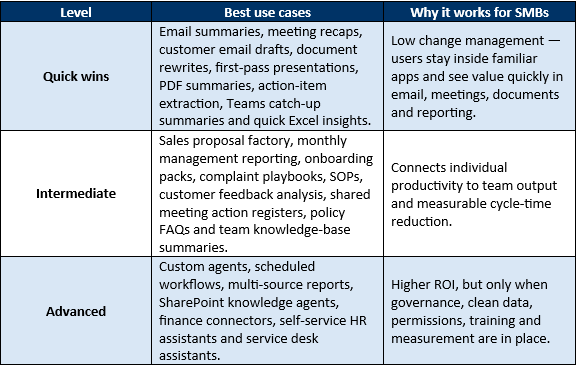
A good rule of thumb is to start with workflows people already do every week: summarising meetings, catching up on missed conversations, drafting customer emails, rewriting documents, preparing simple reports and finding information in SharePoint. These wins are easy to demonstrate and help build confidence before moving into agents and automation.
Across our SMB work in Australia, and in line with Microsoft’s own adoption guidance, three rules consistently separate successful Copilot rollouts from wasted licence spend
The practical test is simple: if a use case cannot be tied to a real workflow, a clear owner and a measurable outcome, it is not ready to scale.
We help Australian SMBs move beyond simply buying Copilot licences and turn them into measurable productivity gains, safely and with the right governance in place.
Our SMB Copilot engagements typically cover:
If you would like a 30-minute Copilot readiness conversation, we can help identify the best starting workflows, check whether your Microsoft 365 tenant is ready, and map a safe path from quick wins to measurable ROI.
CEO/Founder
Founder and Principal of alltasksIT with 30+ years IT experience, John has a broad and varied experience across cloud computing strategies.
John has been successfully realising IT and networking solutions for small to medium businesses for over 25 years.